How Do You Fill In the PMP® Application, Step by Step?
Where to click on pmi.org, what each of the five form steps asks for, and the slips to avoid, shown with screenshots.
In this guide
The PMP application form is free to open, and you can save it and finish later. The screens are simple, but a few of them are strict: the experience step counts months in a particular way, and the profile step needs your details to match your ID. This guide follows the form screen by screen, using sample details in the screenshots. PMI controls the form and can change it, so treat pmi.org as the final word.
Quick answer
To start the PMP application, sign in to your free PMI account, open Certifications, choose Project Management Professional (PMP), check the eligibility panel and click Start Your Free Application. The form has five steps: academic education, project management experience, project professional training, a review, and certification profile details. You pay nothing until PMI approves it.
| Cost to open the form | Free. The exam fee comes after approval |
| Saving your work | Save & Finish Later, top right of every step |
| Experience entries | Organization, job title, dates and a summary of 100 to 500 words |
| Training entries | Provider, course title and hours, at least 35 in total |
How do you start the PMP application on pmi.org?
Sign in to your PMI account first. Creating one is free, and the application attaches to your PMI ID. Then open the Certifications menu at the top of the page and pick Project Management Professional (PMP) from the core certifications.
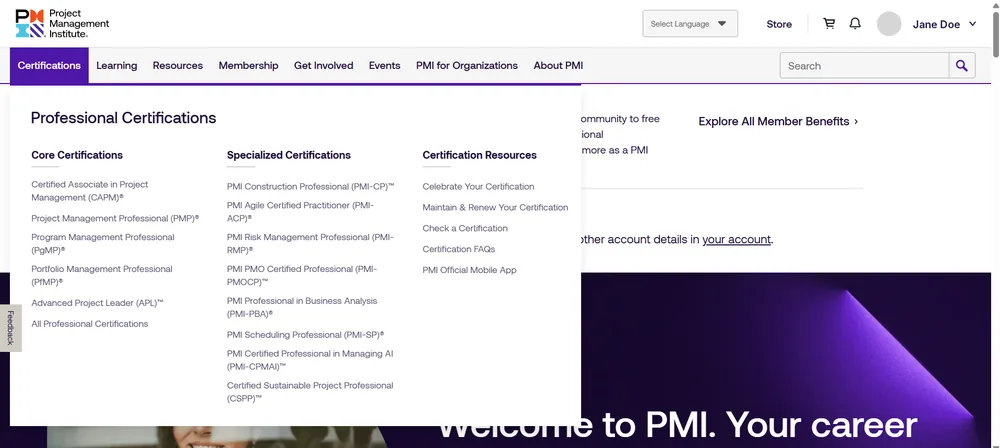
The Certifications menu on pmi.org. Screenshot of the PMI website, with sample details instead of a real applicant.
PMI then shows an eligibility panel with the education and experience table and the five ways to cover the 35 training hours. Tick each panel as you confirm it. When both are ticked, PMI shows a green message that you have what it takes and repeats that approval usually takes 5 to 10 business days. It also reminds you to have your project experience summaries ready. Click Start Your Free Application to open the form.
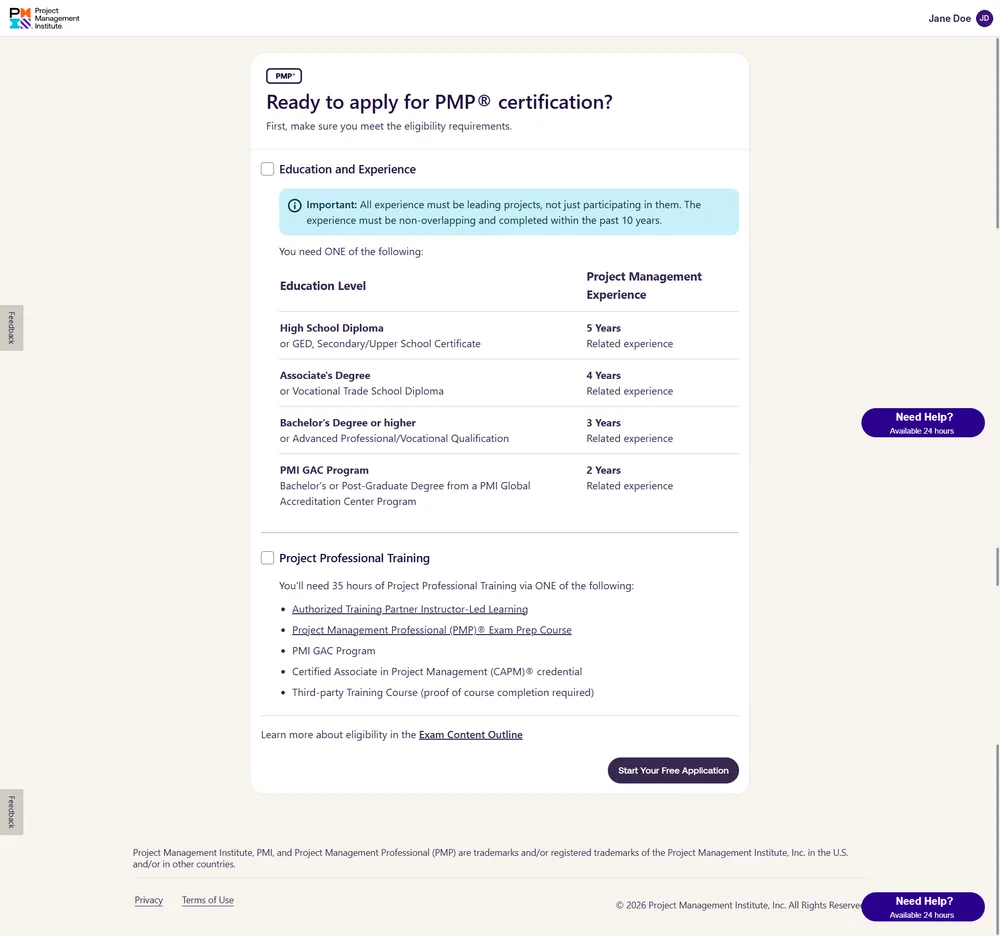
The eligibility panel before the boxes are ticked. Screenshot of the PMI website, with sample details instead of a real applicant.
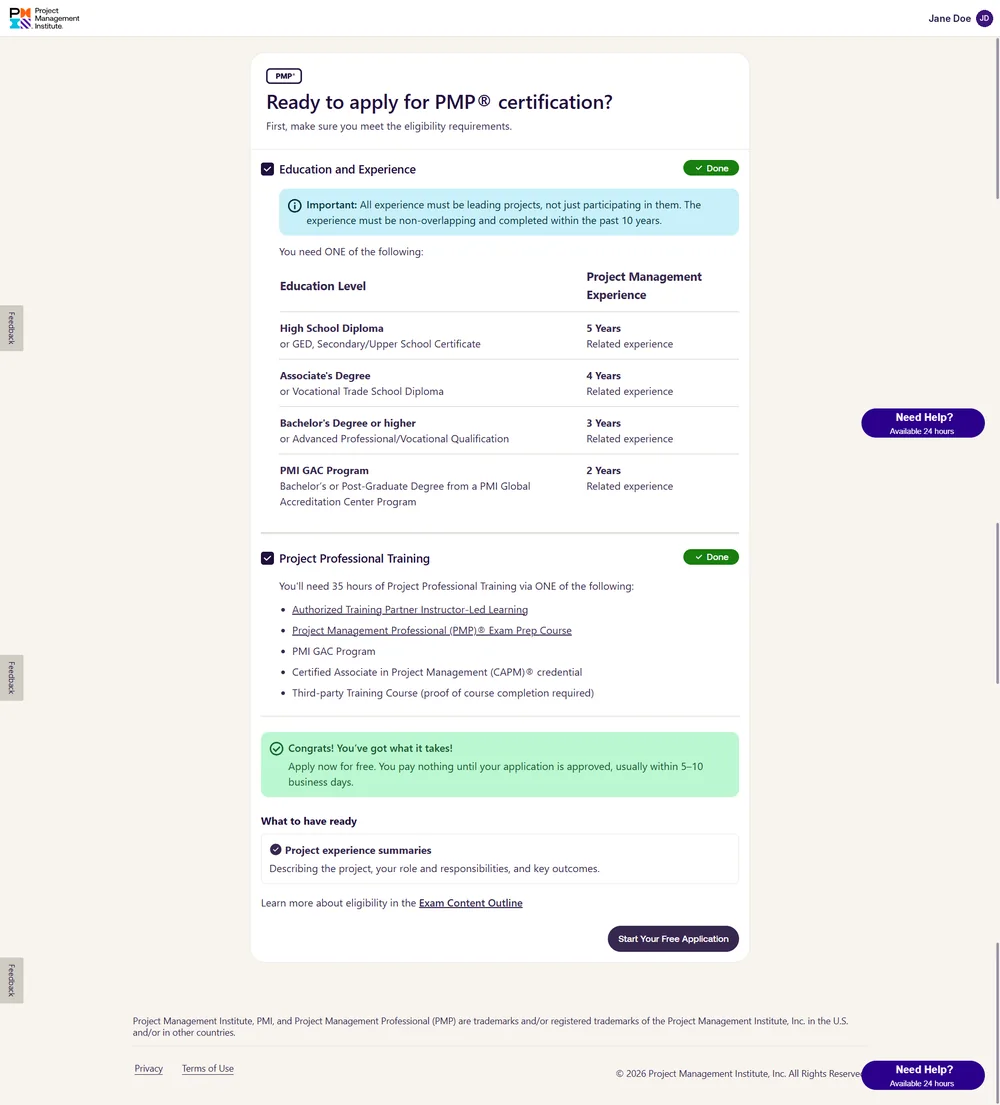
After both panels are ticked, PMI invites you to apply. Screenshot of the PMI website, with sample details instead of a real applicant.
Not sure you meet the rules? Our guide to the PMP eligibility requirements has a calculator that adds up your months without double-counting.
How do you fill in each step of the PMP application form?
The five steps are listed down the left of the screen, with your PMI ID and the date you opened the application above them. Each step saves as you continue.
Step 1: Academic education
Choose the country or region where you studied and your highest level of education, then add the start and end year and the full name of the institution. PMI asks you not to use abbreviations or acronyms, and every field is required.
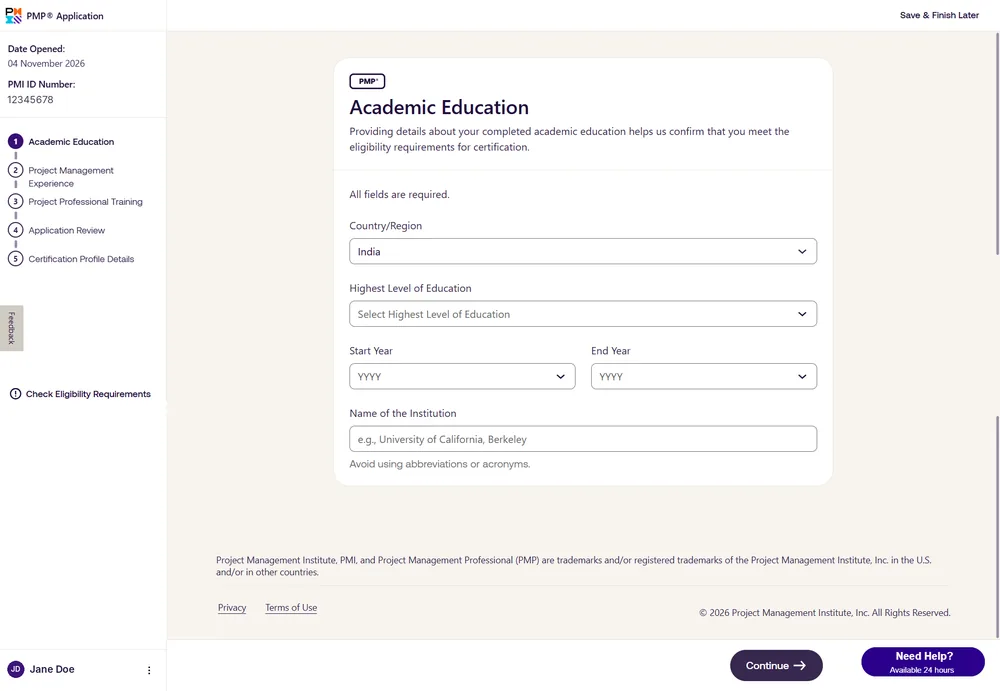
Step 1, Academic Education. Screenshot of the PMI website, with sample details instead of a real applicant.
Step 2: Project management experience
Add each experience with its organization, your job title, the start and end month and year, and a project summary. The summary needs at least 100 words and at most 500, and should cover your role, the project objective, your contributions and the outcomes. A counter shows the months you still need, for example 36 for a bachelor’s degree.
Months are counted strictly. Each experience must be leading projects, must not overlap another one, and must fall inside the past 10 years. PMI’s own example: leading two projects from January to March 2020 counts as 3 months, not 6. Tick “Currently in this project” for work that is still running. For ideas on wording, see our notes on the professional experience section and a project description example.
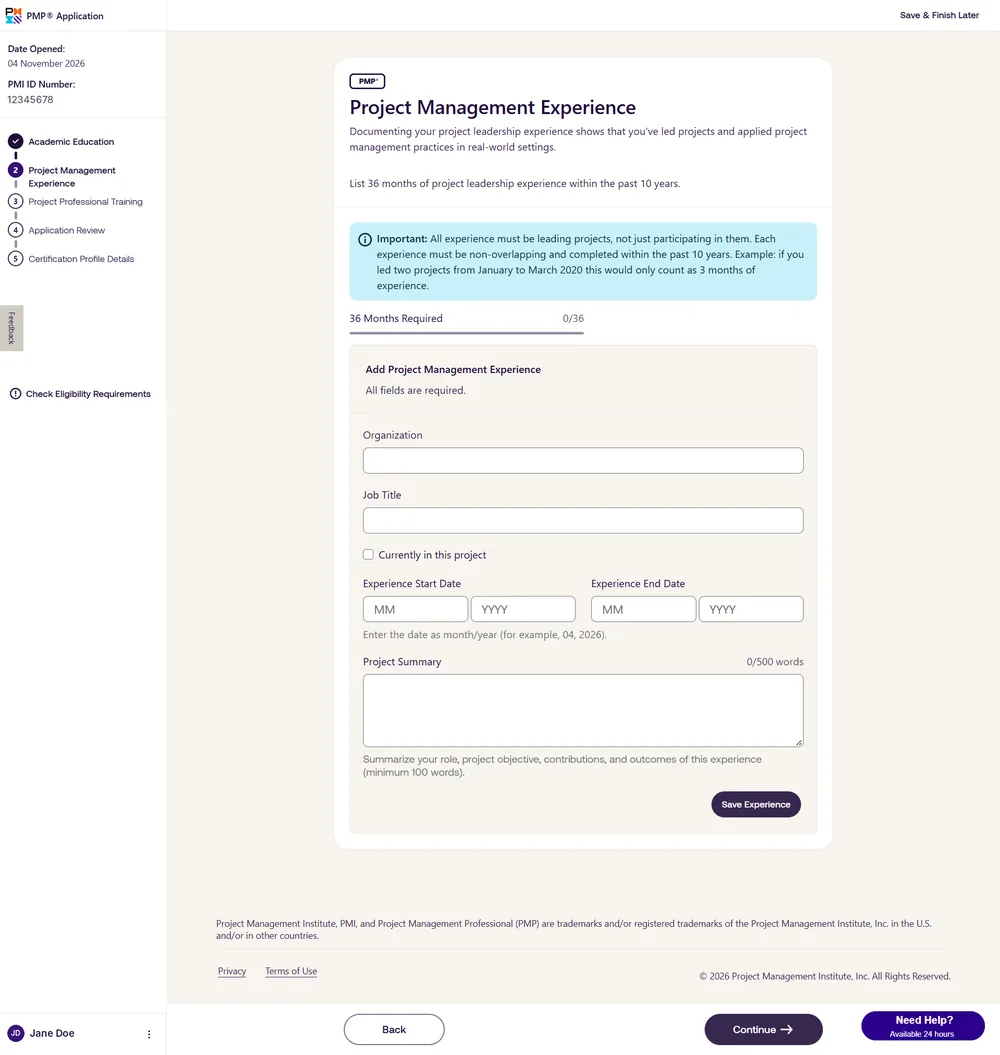
Step 2, Project Management Experience, before any entry is saved. Screenshot of the PMI website, with sample details instead of a real applicant.
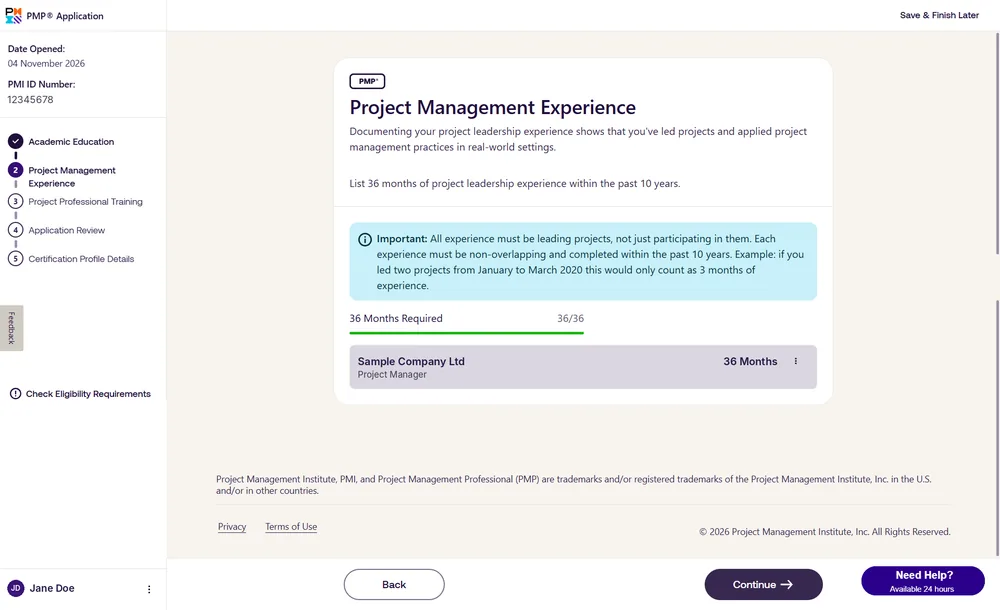
The counter turns green when you reach the months you need. Screenshot of the PMI website, with sample details instead of a real applicant.
Step 3: Project professional training
Say whether the training was live instructor-led or self-paced, then enter the training organization, the course title and the hours completed. You need at least 35 hours, and a counter tracks them. PMI states that it may reject hours from courses or providers it considers inadequate or a risk to exam integrity. Hours from PMI’s own course are added automatically once you finish it.
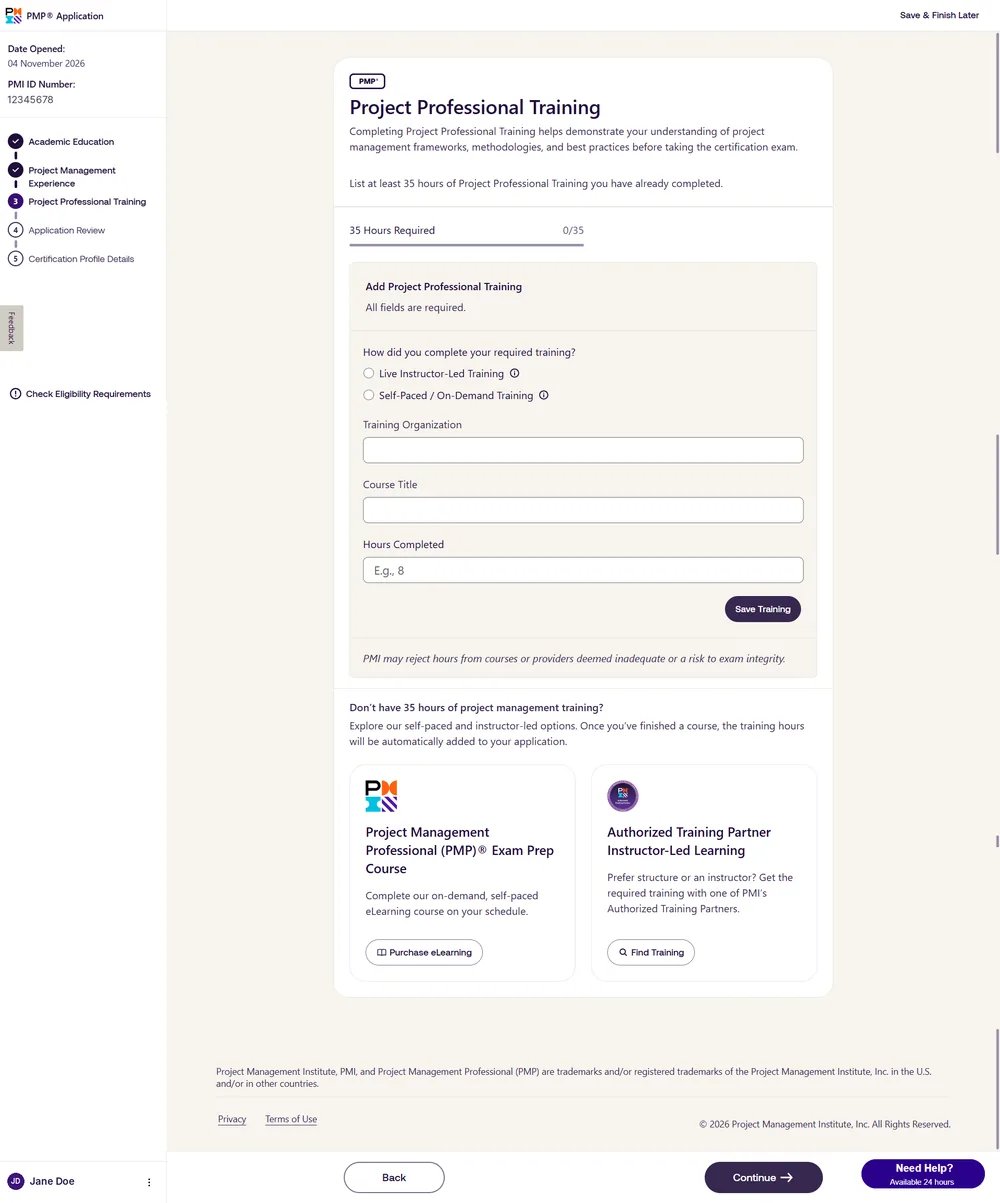
Step 3, Project Professional Training. Screenshot of the PMI website, with sample details instead of a real applicant.
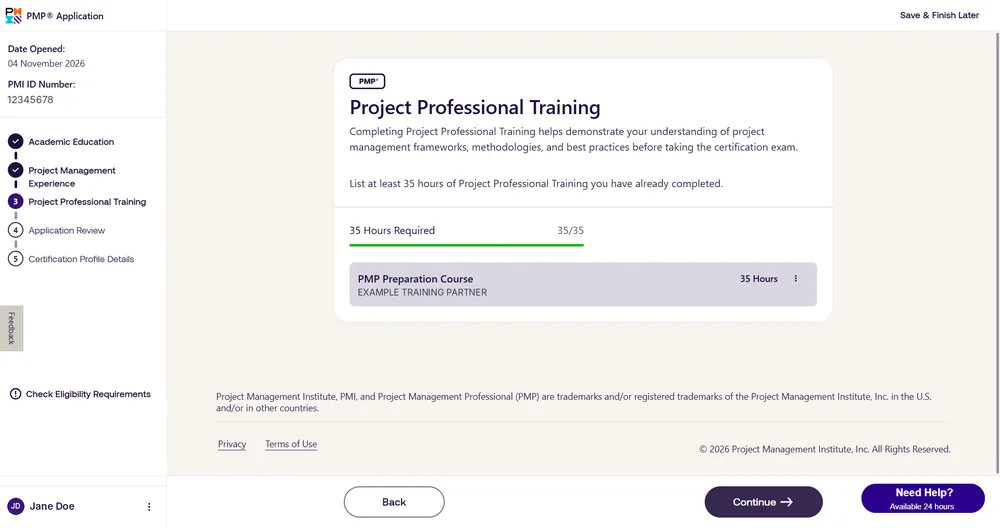
With 35 hours entered, the counter reads 35/35. Screenshot of the PMI website, with sample details instead of a real applicant.
Tip: if your 35 hours came from a PMI Authorized Training Partner, finish the course first and keep your Certificate of Completion from myPMI (My Courses, then Completed Courses). You will need it if PMI audits your application.
Step 4: Application review
PMI lists all three sections on one screen. Read each carefully and use the Edit button beside a section to correct it. Mistakes are far easier to fix here than after submission.
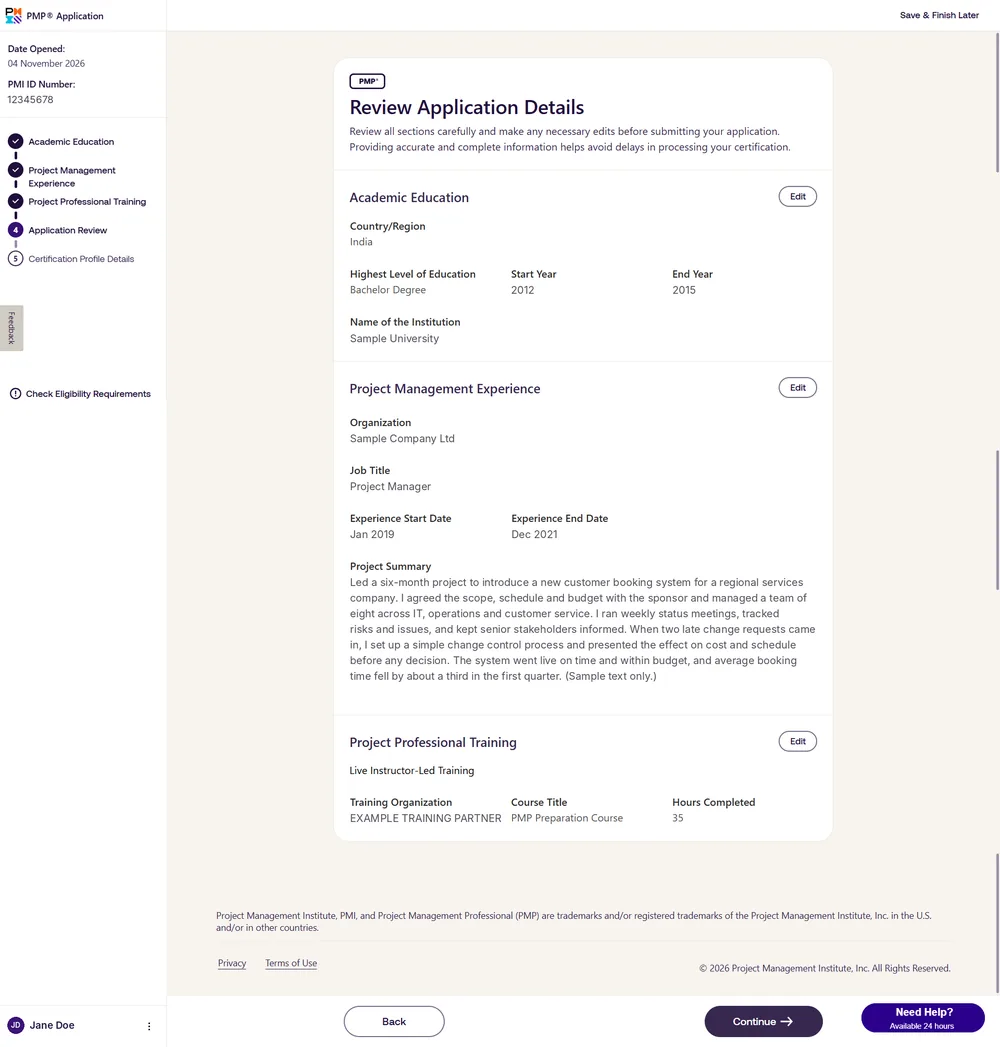
Step 4, Review Application Details. Screenshot of the PMI website, with sample details instead of a real applicant.
Step 5: Certification profile details
Select the country or region where you will take the exam and your country of citizenship. Enter your name, date of birth and address exactly as they appear on your government-issued ID, using English characters only, because PMI’s exam delivery providers do not support other scripts. Then add a phone number and email, confirm the name for your certificate, and say whether you need exam accommodations. Finish by agreeing to the PMI Application Agreement and clicking Submit Application.
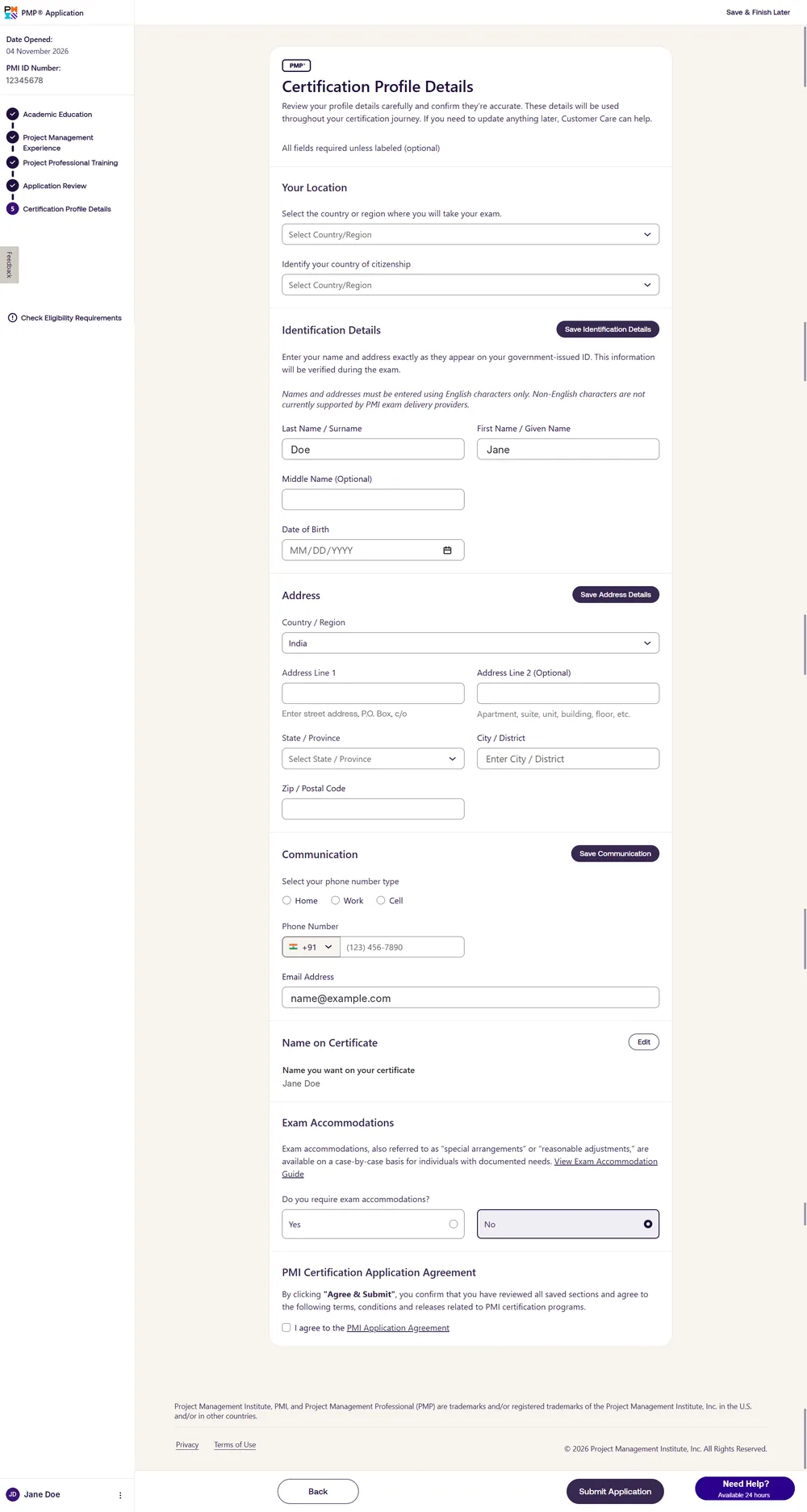
Step 5, Certification Profile Details. Screenshot of the PMI website, with sample details instead of a real applicant.
Before-you-submit checklist for the PMP application form
For planning only. Tick each point as you confirm it.
0 of 7 points ticked.
The checklist is a memory aid. Confirm the current rules on pmi.org.
Need the 35 hours? Our PMP certification training is a live course from a PMI Authorized Training Partner.
What happens after you submit the PMP application?
PMI emails you the outcome, usually within 5 to 10 business days, and you pay the exam fee only after approval. If your application is selected for audit, PMI tells you before the fee is due and you cannot continue until it is complete. Our guide to the PMP application audit lists the documents you would need, and our guide on how to apply for the PMP exam covers the stages from approval to exam day. You can also see how to check your PMP application status.
Want help with your application?
The PMP course includes one-to-one application support.
Questions? Use the course enquiry form, email online@3foldtraining.com or message us on WhatsApp. The official source is PMI’s PMP page.
Frequently asked questions about the PMP application
How do I start the PMP application?
Sign in to your PMI account, open Certifications, choose Project Management Professional (PMP), tick the eligibility panels and click Start Your Free Application.
How many steps are in the PMP application?
Five: academic education, project management experience, project professional training, application review, and certification profile details.
Can I save the PMP application and finish it later?
Yes. Every step has a Save & Finish Later option at the top right.
How long should a PMP application project summary be?
At least 100 words and at most 500. Cover your role, the project objective, your contributions and the outcomes.
How are months counted in the PMP application?
Each experience must be leading projects, must not overlap another, and must be inside the past 10 years. Two projects that ran together for three months count as three months.
Does the PMP application cost anything?
No. Opening and submitting the form is free, and you pay the exam fee only after PMI approves it.
Does the name on the PMP application have to match my ID?
Yes. PMI asks for your name and address exactly as they appear on your government-issued ID, in English characters only.



Leave a reply