
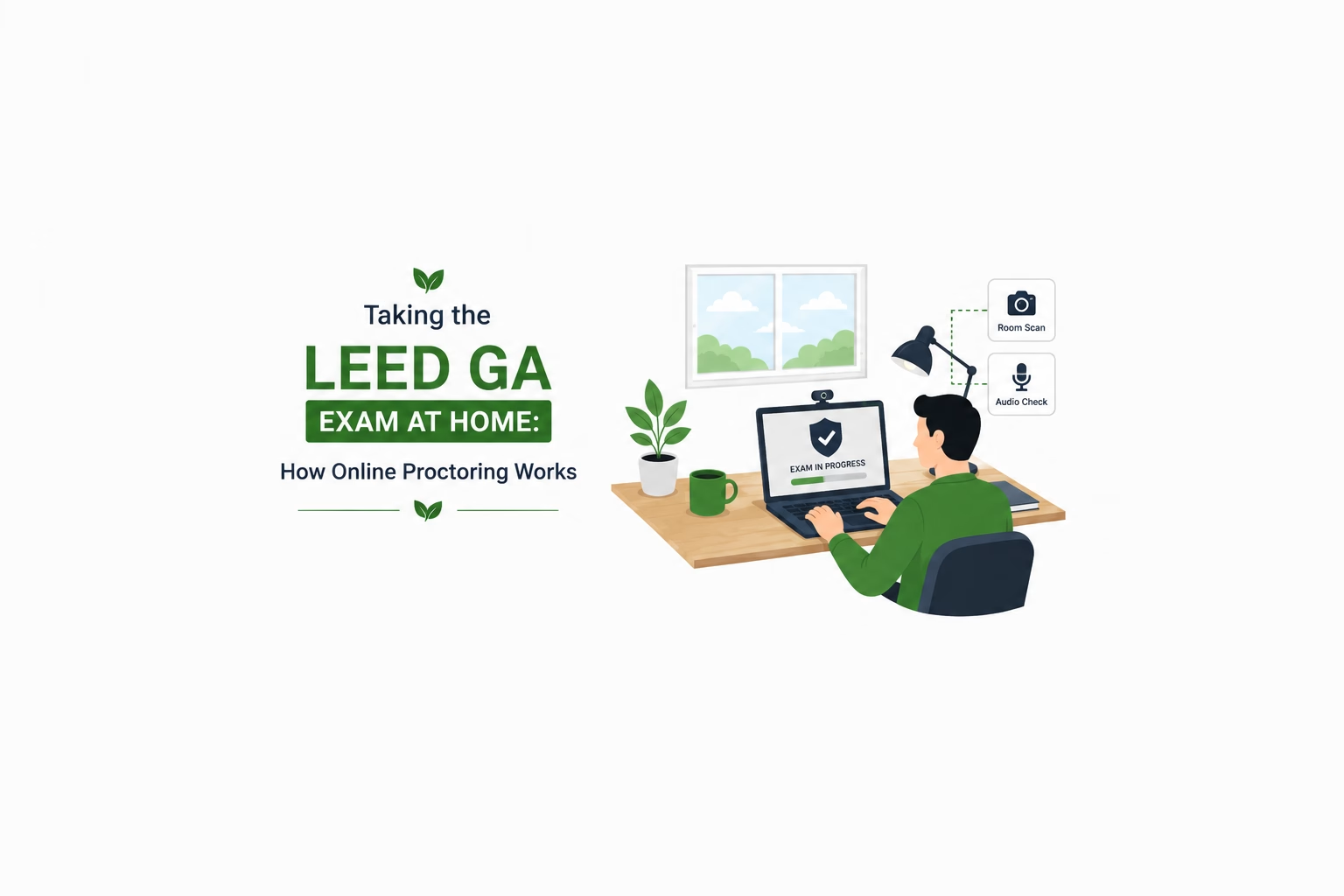
You can sit the LEED Green Associate exam at your own desk through Prometric’s ProProctor application. The exam is identical to the test centre version — same 100 questions, same 2 hours, same scoring. What differs is everything around it: your equipment, your internet connection, a 360-degree scan of your room, and a rule that you may not leave the webcam’s view at any point.
It suits some people very well and others badly. Here is what it actually involves, so you can decide which you are.
What is checked before you start
Log in 30 minutes early. Virtual check-in is not a formality and it takes time:
- A facial image is captured
- Your government-issued photo ID is verified — original, not a photo of it, with your name matching your registration exactly
- You perform a 360-degree webcam scan of your room and your work surface
Clear your desk completely before you begin. Everything on it will be seen and questioned. A tidy surface makes check-in fast; a desk covered in papers, folders and a second screen makes it slow and can end in a refusal.
Check-in and proctor interactions are conducted in English.
The equipment rules
These are firm, and they are the reason to test your setup a week ahead rather than the night before.
| Device | Laptop or desktop only. No tablets. An undocked laptop — docking stations are not permitted |
| Monitors | One. Dual-monitor setups are not allowed, and disconnecting the second one on the day is easier said than done if it is built into your dock |
| Webcam | Required. Desktop users need an external one |
| Microphone | Must be enabled. Bluetooth headsets are not supported |
| Operating system | A reasonably current Windows or macOS version |
| Browser | Current Google Chrome |
| Connection | A stable connection, and Prometric recommends a wired Ethernet connection rather than wi-fi for the duration |
The exact minimum specification is published in the LEED Green Associate Candidate Handbook and is revised from time to time, so check it there rather than trusting any figure on a third-party page — including this one.
Two things to do a week before, not the night before: download ProProctor, and run Prometric’s system readiness check. Discovering that your webcam is unsupported at 8:30 on exam morning is not a recoverable situation.
The rules during the exam
You may not be out of the webcam’s field of vision at any point. Not to stretch your legs, not to answer the door, not to take a delivery. Two hours, in shot, throughout.
Plan the practical consequences before you start:
- Use the bathroom immediately beforehand
- Put your phone in another room, not in a drawer
- Tell whoever you live with that you are unavailable for the next two and a half hours — the exam is 2 hours and check-in adds to it — and mean it
- Silence doorbells and deliveries if you can
No paper
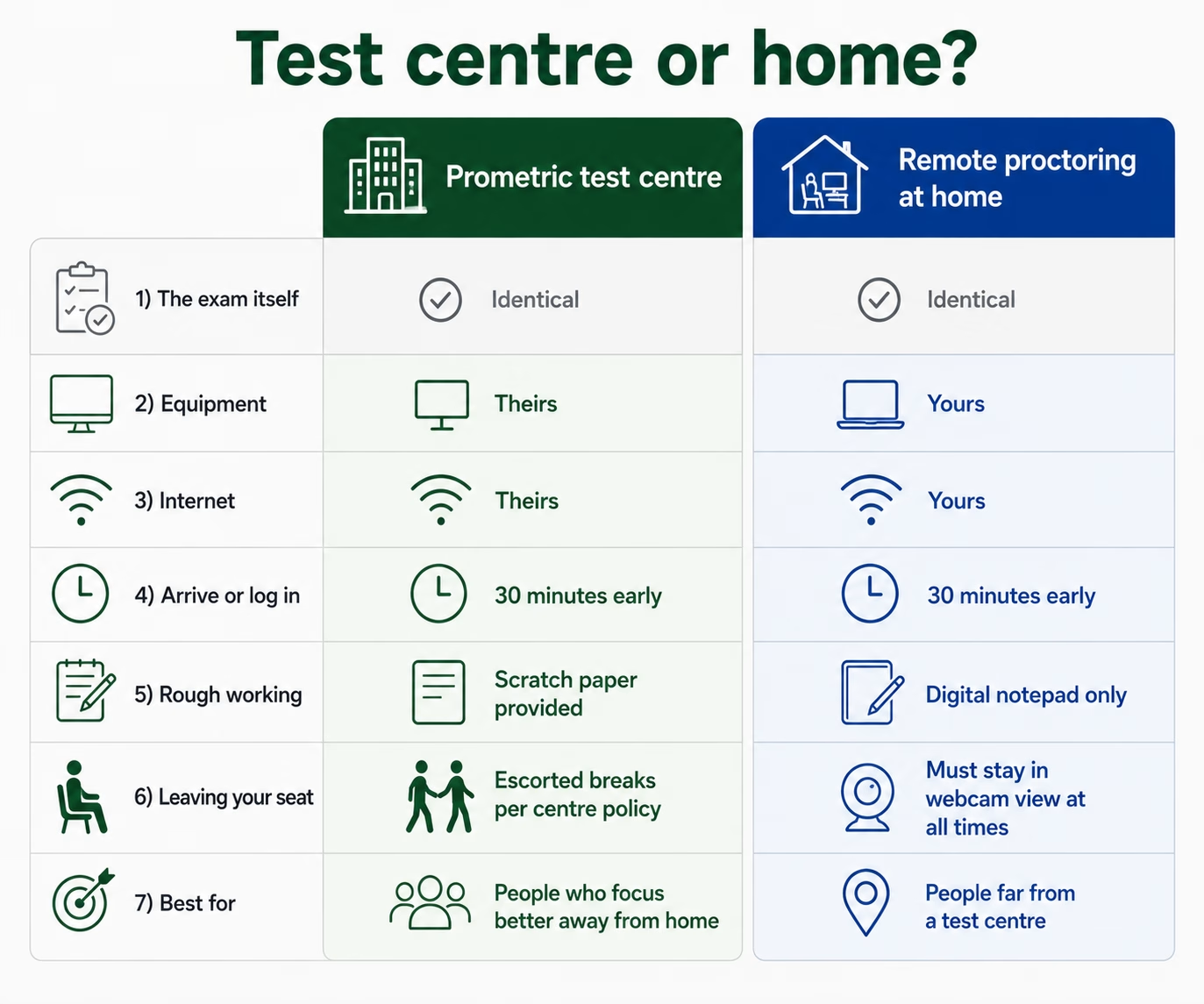
This is the difference candidates underestimate most. Scratch sheets and a pen or pencil are not permitted during a remotely proctored exam. A digital notepad is provided inside ProProctor instead, along with a digital calculator.
If you are someone who thinks by scribbling — jotting down a mnemonic, sketching a hierarchy, crossing options out on paper — you should know now that you will not be able to. Some people find the on-screen notepad perfectly adequate. Others find it changes how they think. The way to find out which you are is to do a timed practice paper with no paper on your desk, before you book.
Which should you choose?
Neither is easier. The exam, the questions and the scoring are identical, and there is no evidence that either produces better results. Choose on temperament and logistics.
A test centre suits you if you concentrate better away from home, your home is busy or noisy, your internet is not something you would stake two hours on, you prefer working out rough answers on paper, or you would rather someone else owned the technical risk.
Remote proctoring suits you if the nearest test centre is a long journey, appointment availability locally is poor, you focus well at your own desk, you have a quiet room you can genuinely lock down for the best part of three hours, and you have a wired connection.
For candidates outside the major cities — a real consideration across much of India and the Gulf — remote proctoring can be the difference between sitting the exam this month and sitting it in three months. That is a legitimate reason to choose it.
What happens if the technology fails
If your connection drops, do not panic and do not close anything. ProProctor is designed to handle interruptions and the proctor can see what has happened. Follow the on-screen instructions and wait for the proctor to re-establish contact.
This is exactly why the wired-connection recommendation exists, and why running the readiness check in advance matters. Most problems that end an exam were visible a week earlier.
Frequently asked questions
Can I take the LEED Green Associate exam at home?
Yes. Prometric offers remote proctoring through its ProProctor application, as an alternative to attending a test centre. The exam itself is identical.
Can I use scratch paper during a remotely proctored LEED exam?
No. Scratch sheets and a pen or pencil are not permitted. A digital notepad and a digital calculator are provided inside the application instead.
Can I use two monitors or a tablet?
No. Remote proctoring requires a single monitor on a laptop or desktop. Tablets and dual-monitor setups are not permitted, and Bluetooth headsets are not supported.
Can I leave my desk during the exam?
No. You may not be out of the webcam’s field of vision at any point during the exam.
Is the online exam easier or harder than the test centre version?
Neither. It is the same exam, the same length and the same scoring. Only the environment and the equipment differ.
Rehearse it the way you will sit it
Whichever you choose, sit a timed full-length paper first — and if you are going remote, sit it with no paper on your desk. Our 50-question mock exam is free. The rest of what happens on the day is in what happens on exam day, and the booking process is in how to register.
3FOLD TRAINING prepares candidates across all eight knowledge domains in LEED Green Associate training — ask through the course enquiry form.




Leave a reply